👻 Ghost Login Attack

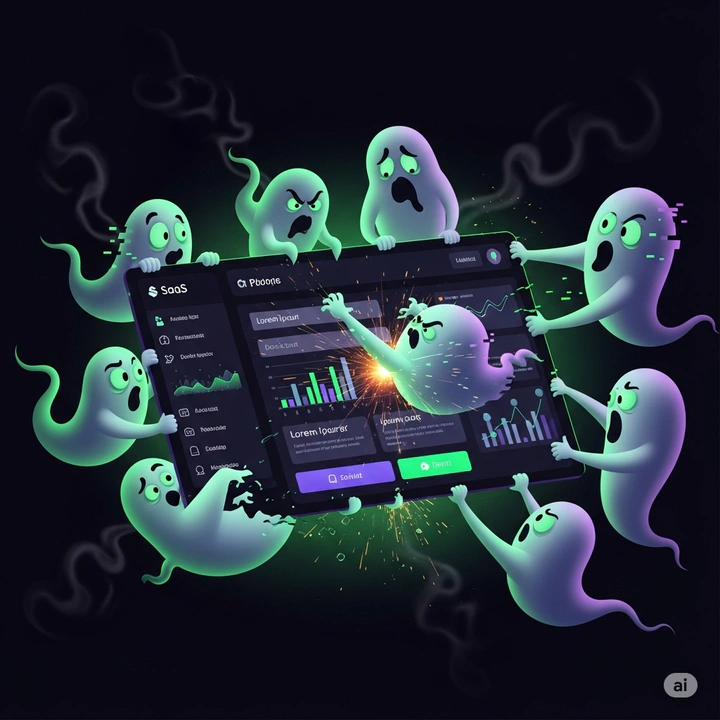 Ghosts attacking a SaaS platform
What is a ghost login ?
A ghost login is a legitimate authentication path that you forgot about or never noticed. Many SaaS apps allow several ways to sign in at the same time. Local username and password, social login, SAML / OIDC through your identity provider such as Okta and Entra ID. That combo is great for convenience and migration. It is also a perfect hiding spot.
There are 2 main ways this occurs.
Weak initial access
You try out a SaaS platform with a basic username and password, maybe its the same password you used to try out mulitple platforms. After trying the SaaS platform you find that it provides you value and so it becomes part of your tool set. Later on you move towards a production use-case and upgrade to strong SSO with two factor (2fa or MFA) even incorporating device checks. The old single factor local password still exists in the background. Or a recovery email tied to a personal mailbox stays active. One day a threat actor finds that forgotten path and walks right in, perhaps with a credential stuffing attack. This theme appeared in community discussions during the Snowflake credential breaches in 2024 where local passwords remained valid after an organization had migrated to SAML Single Sign-On (SSO).Here’s a video demonstrating the Ghost Logins issue in Snowflake
Persistence
Another way that a ghost login occurs is when an adversary gets brief access to one of your accounts, such as a social login. Before you notice the intrusion they use it to add a new way to sign in to a SaaS platform it was linked to. Maybe they create an API key for the same account, which bypasses MFA. Maybe they connect a 2nd social account that they control. Even if you rotate passwords or change MFA on your normal path the intruder returns through the side door they installed.
The painful realization part comes later. If your audit view only watches SSO events you never see the local login that bypassed the identity provider. Your dashboard looks calm while activity continues.
Why teams miss ghost logins
- Migration to SSO that does not disable local passwords by default
- Social sign in connectors that users can add silently
- Recovery channels that point to personal email or phone numbers outside your tenant
- API keys or app passwords that sidestep interactive login
- Auditing that collects only identity provider logs and not the SaaS local audit trail
Red flags you can spot this with
- The same user appears with multiple authentication providers over time
- A new recovery email suddenly appears on a long lived account
- Logins that originate only from the SaaS local auth service even for accounts that are supposed to only use SSO
- Multiple successful sessions from different providers within a short time window
- API activity that continues after a password reset or MFA reset
- Logins for one auth method to an account are from one set of IPs or Geo region that differ to the IPs and Geo region that are used for the other auth method.
Hunting playbook
- Build a merged view of logins that includes both SaaS local auth logs and SSO provider logs
- Watch for recovery channels that drift to personal email or phone numbers
- Track new authentication methods added to privileged accounts
- Correlate activity that continues after a password reset or MFA reset
Hardening checklist for defenders
Enforce SSO as the single source of truth for workforce users
- Disable local passwords after SSO cutover
- Block self service social connections unless expressly approved
Require two factor (2fa) for every remaining local path
- Treat recovery channels as privileged assets
- If possible lock down the originating IPs that can use local auth
- Use corporate email for recovery only
Inventory and monitor non interactive access
- Rotate and scope API keys
- Alert on key creation outside change windows
Close audit gaps
- Collect SaaS local logs and SSO logs
- Keep at least 90 days of searchable history
- Build saved views that highlight mixed provider use on the same account
Guidance for SaaS vendors
- Provide a clear single toggle that disables local passwords when SSO is enabled
- Not only offer MFA for local accounts, but provide controls to make it mandatory.
- Create options to automatically disable inactive local accounts and API keys
- Log every change to recovery channels and publish it to customers
- Offer tenant wide policies that restrict social providers to an allow list
- Provide reports that list accounts with multiple active providers and MFA status
The takeaway
Ghost logins thrive in the spaces between your app and your identity provider. Shut those spaces by picking one authority for workforce sign in, removing extra paths, and watching both sets of logs.